MobiFlight Community Support

Welcome to the forum for MobiFlight! Feel free to reach out to the community in case you have questions, issues or just want to share great ideas or details about your latest home cockpit project.

You like MobiFlight? Donate via PayPal and support the MobiFlight development. Thanks! 

05/03/2024 - This forum is read-only

The community support for MobiFlight has moved exclusively over to our Discord server. Register for free and enjoy more interactive functions like image and video upload, voice chat. More than 7,000 registered users around the world make it a great experience!

See you on our MobiFlight Community Discord server.

A HUGE Thank You to everyone who participated in the forum, especially obviously to Pizman and Stephan who did an outstanding job over so many years providing an incredible service to the MobiFlight community.

The forum is still providing a lot of good content, hence we keep this information accessible.

icon
Avatar
OldAirmail
Posts: 16
Smaller isn't always better, but sometimes it's more desirable. Cheaper helps a lot too, :D

Limiting the number of Arduino type boards is probably the best way to avoid headaches, and lets face it - simpler can be a lot better at times.

But size does have it's benefits, especially if all you want is a small simple flight controller. So if this will work out - GREAT! :)


For those new to these posts, the Arduino is a multipurpose controller board. The pins on the board can, within limits, work as input or outputs - i.e. one Arduino board can provide switches, buttons, encoders, single or 7 segment LED displays at a price and size well below other solutions such as the Leo Bodnar boards which are EITHER contact based, or LED output oriented. And, as far as I know, can't control 7 segment displays.


Mistakes, mistakes.

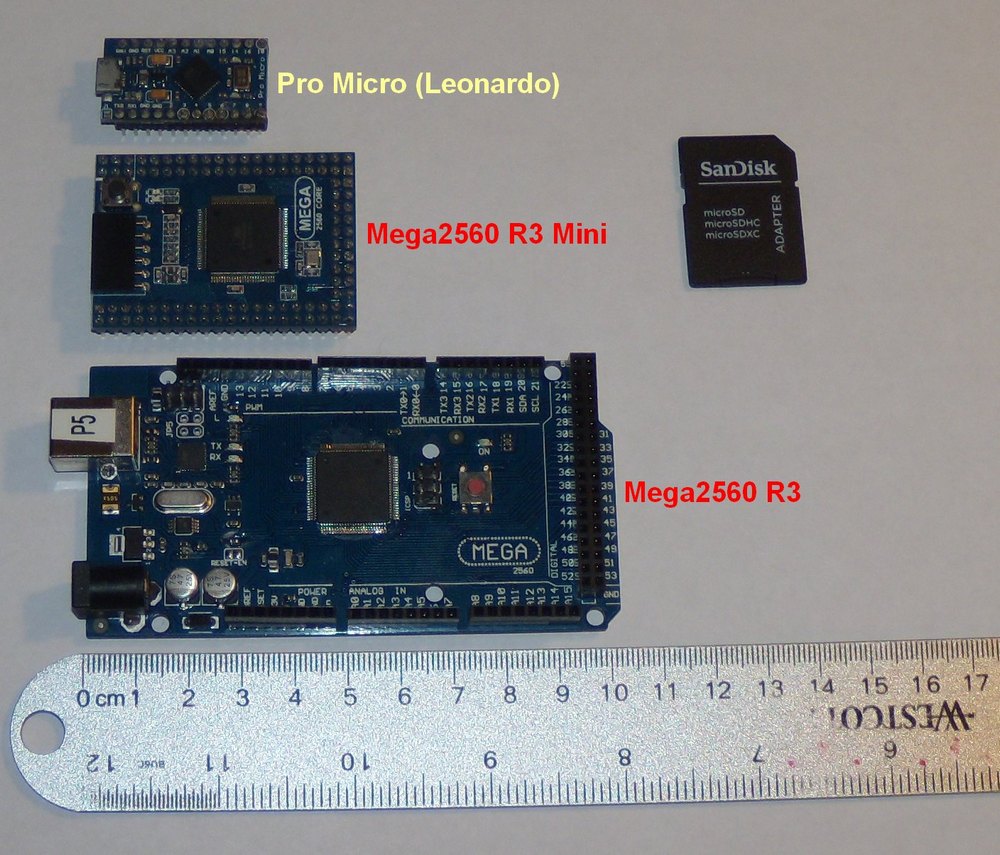
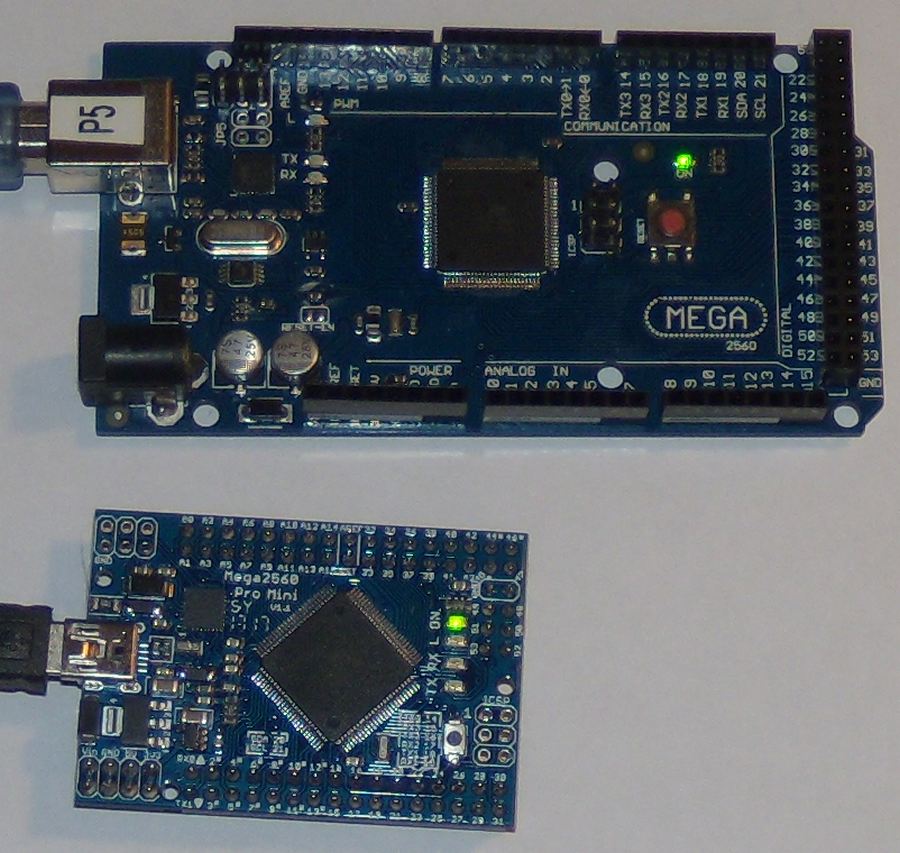
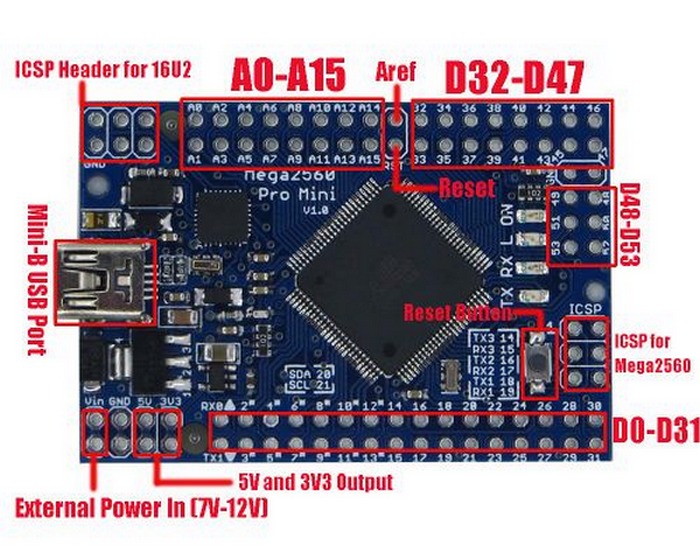
Here's what I have at the moment.


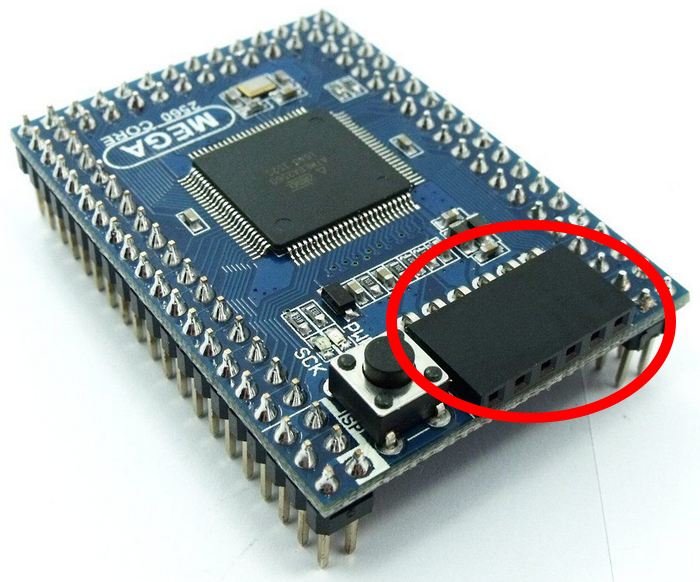
As soon as my Mega2560-CORE mini came in I realized my mistake - It takes a funky non-USB connector. At least it wasn't an expensive mistake. :blush:


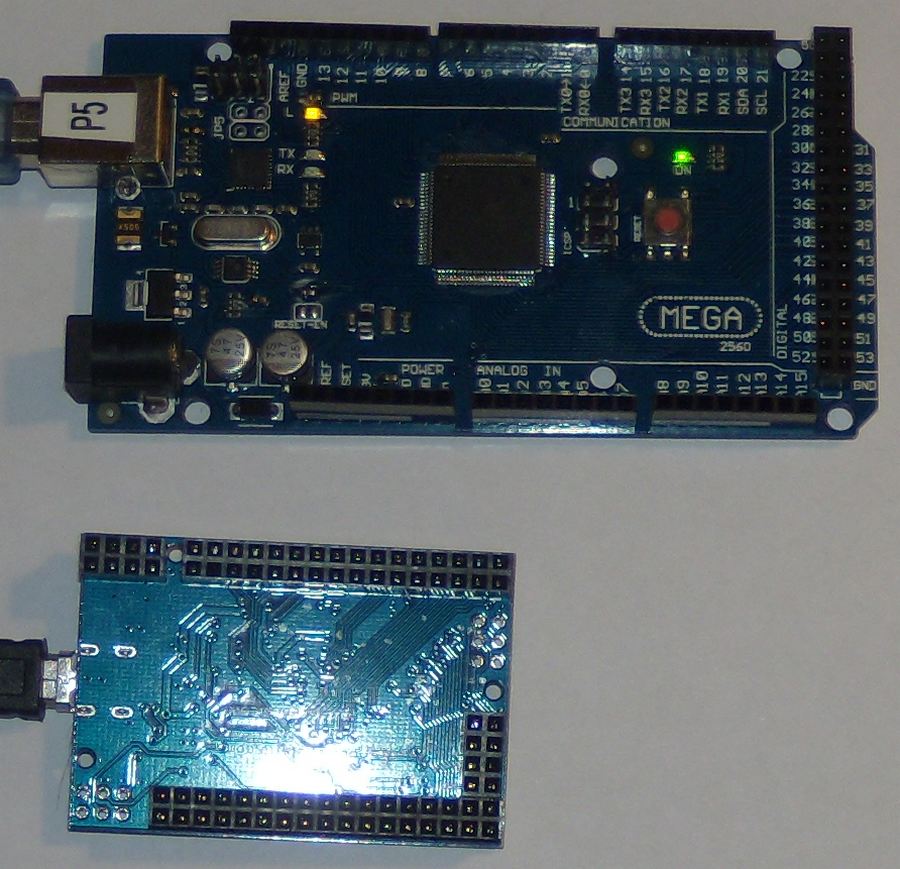
This is what I have now, and what I've reordered.

Mega2560 R3 Pro Mini (funky)


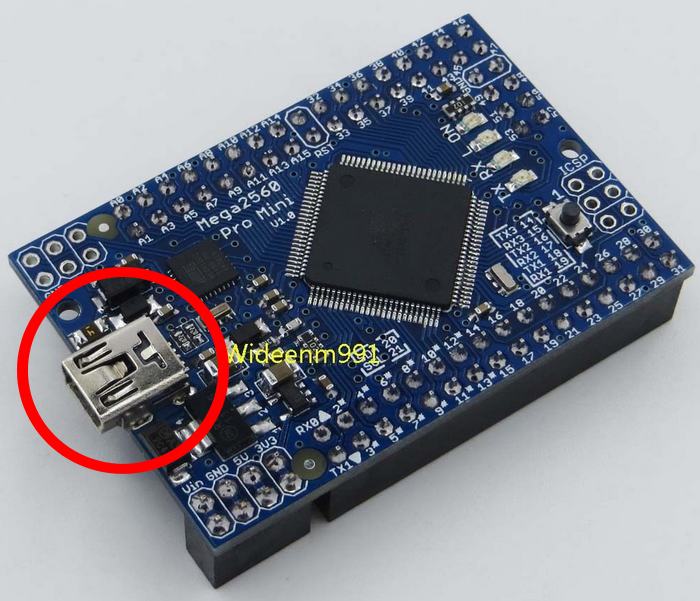
USB Mega2560 R3 Pro Mini


While I wait for the USB version to arrive, I tested the "funky" Mega2560 R3 Pro Mini.

Using the Arduino IDE (the software that actually puts the code on the Arduino board), every Mega2560 R3 code that I tried will run on BOTH the Mega2560 R3, and the (funky) Mega2560 R3 Mini.

Success? Not quite. When I tried the MobiFlight Connector software the new board wasn't recognized.

So for now, we have a newer, smaller, Mega2560 R3 compatible board that only costs a little more than a "standard" Mega2560 R3. If the USB version works out, that would be great.

It may not be a problem at all, time will tell.
[Last edited by OldAirmail, 2017-08-12 21:32]
2017-08-12 21:26
Avatar
pizman82
Moderator
From: ETSI, Germany
Posts: 6010
Supporter
Thanks for the Info....

Maby some users will like this ....
I think the non detect is just a PID Problem.... Maby you send Sebastian the Data and he can insert this in the Mobiflight Auto detect Code. then it normaly be seen by mobiflight automatic.

(Maby the Chip work different, too and is not support by Mobiflight.... But i don't think so.... Please SEBASTIAN.... Comment this if possible.)

****

But personal Note.... For ME this is not a good solution..... Crazy example.... if Posible i would prefer a Mega with same functions that is 3 times BIGGER then the current one.... Not Smaller.

Space for the Boards is realy no problem in a project..... Thats only a question of planing and construction.
If needed i can plan my Panel with a Mega that is 40x40 cm ... Just enlarge the Deep of Panel !

So.... The work with this verry little elements is not so easy i think.... so why should i do this if i can get bigger Cards, too.
.
Good Luck !
2017-08-13 00:16
Avatar
OldAirmail
Posts: 16
It's all a matter of what you want in the end.

My space is very limited, so I'm more interested in small, stand alone, controllers.

Something like this may suit your needs.
[Last edited by OldAirmail, 2017-08-13 06:01]
2017-08-13 05:53
Avatar
OldAirmail
Posts: 16
I just got home and found a small package waiting for me - A Mega2560 Pro Mini.

Before I even cooled down, I had the box opened and connected to the computer for a very quick test.

I've tested the new Mega2560 Pro Mini board with both the Arduino IDE AND MobiFlight and it was instantly recognized by both. Everything tested out perfect. :D


Microcontroller ATmega2560 key points from epalsite.com
Atmega16U2 chip as the USB to Serial converter
Operating Voltage 5V
Input Voltage (recommended) 7-12V
Input Voltage (limits) 6-20V
Digital I/O Pins 54 (of which 15 provide PWM output)
Analog Input Pins 16
DC Current per I/O Pin 40 mA
DC Current for 3.3V Pin 50 mA
Flash Memory 256 KB of which 8 KB used by bootloader
SRAM 8 KB
EEPROM 4 KB
Clock Speed 16 MHz


It looks like we have a "new", smaller board to use.:thumbup:
2017-08-23 00:59
Avatar
DocMoebiuz
Moderator
From: EDSH, Germany
Posts: 1516
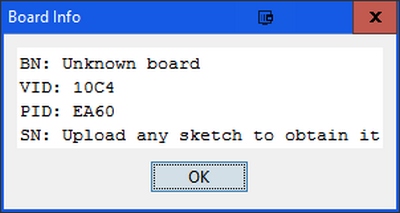
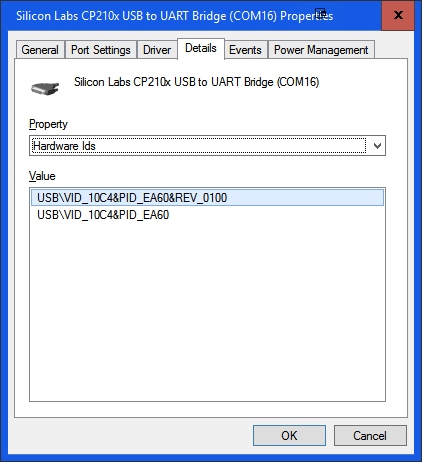
Cool thing! - if we wanted to support the funky one too I would need to know the VID&PID numbers. You get that from the Device Manager when you look at the details of the board.
Have a great day!
Sebastian

MobiFlight - Simply build your own home cockpit for your favorite flight sim - MSFS2020, FSX, Prepar3D (FSUIPC), X-Plane (XPUIPC)
2017-08-25 03:13
Avatar
OldAirmail
Posts: 16
OK, Funky Board info from Arduino IDE 1.8.2.


And from Windows USB Info


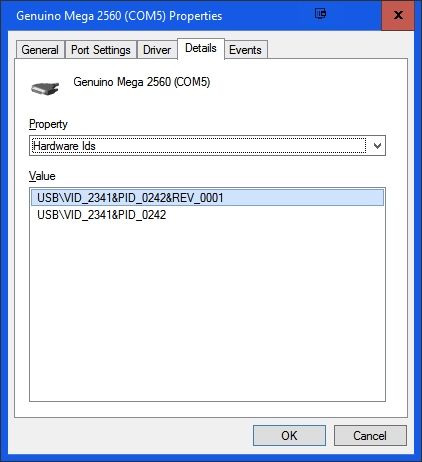
A real Mega 2560 for comparison


All in all, I'd go with the second one that I bought.

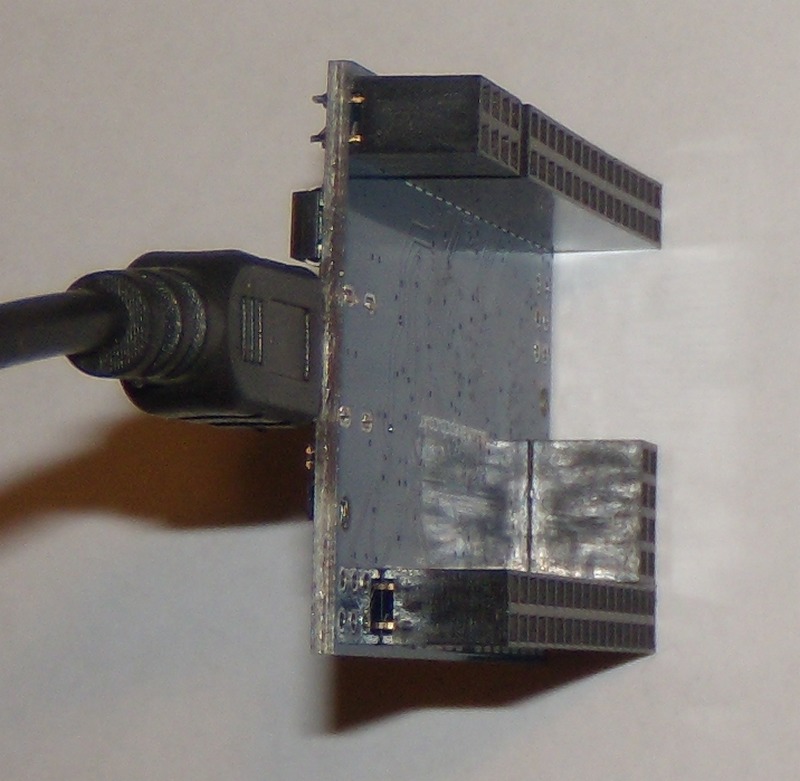
I didn't, somewhat, like that it had female connectors (I'd rather solder the wires to the board), but if you used a hot glue gun to hold the wires in place it should be very useable as an imbedded controller.


Do you have anything that you would like me to run on either board?
2017-08-26 17:43
icon